In today’s digital world, images spread across the internet within seconds. Whether you’re trying to identify a person, verify a photo’s authenticity, find the original source of an image, or discover visually similar pictures, Google’s reverse image search tool can help.
If you’ve searched for “reverse image search google”, you’re looking for one of the most powerful visual search tools available online. This guide explains how Google Reverse Image Search works, its benefits, and how to use it effectively on desktop and mobile devices.
What Is Google Reverse Image Search?
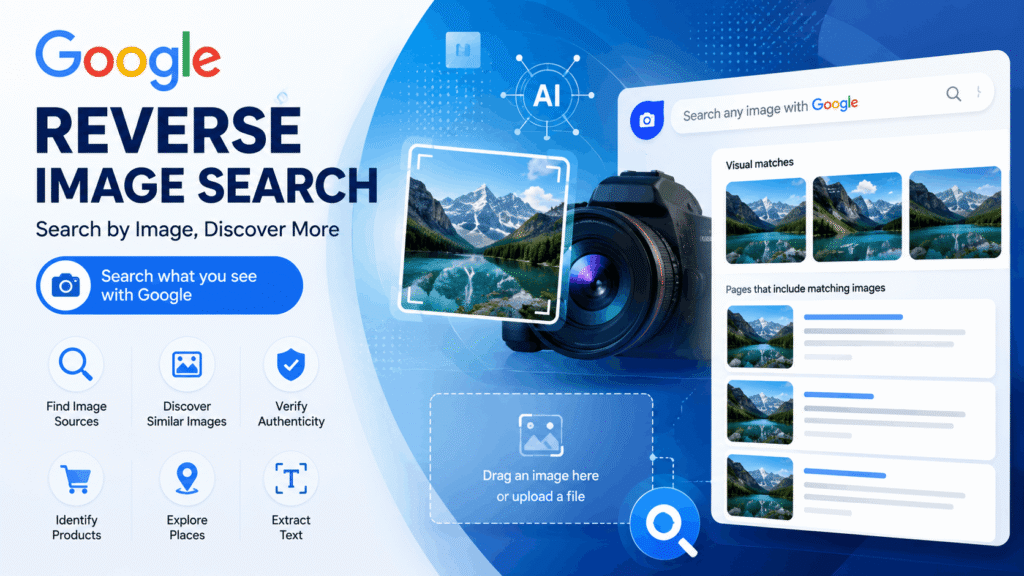
Google Reverse Image Search is a feature that allows users to search the web using an image instead of text. Rather than typing keywords into Google, you upload a photo or provide an image URL, and Google analyzes the image to find related results.
The technology uses advanced image recognition and artificial intelligence to identify objects, landmarks, products, text, and visually similar images across the web.
Why Use Reverse Image Search?
There are many reasons why people use reverse image search:
Find the Original Source of an Image
If you discover an image on social media or a website and want to know where it first appeared, reverse image search can help locate the original source.
Verify Image Authenticity
Journalists, researchers, and fact-checkers frequently use reverse image search to verify whether an image is genuine or has been reused from another event.
Identify Unknown Objects
Google can recognize products, animals, plants, landmarks, buildings, artwork, and other objects within images.
Discover Similar Images
Photographers, designers, and content creators often use reverse image search to find visually similar images and inspiration.
Protect Copyrighted Content
Website owners and photographers can track where their images are being used online and identify unauthorized copies.
How to Use Google Reverse Image Search on Desktop
Using reverse image search on a computer is simple:
- Open Google Images.
- Click the camera icon or use Search by Image.
- Upload an image from your computer or paste an image URL.
- Google analyzes the image.
- Review matching and similar image results.
Within seconds, Google displays websites containing the image, visually related photos, and potential information about the image.
How to Use Reverse Image Search on Mobile
Google has integrated visual search into Google Lens, making mobile image searches easier than ever.
Android
- Open the Google app or Chrome.
- Tap the Google Lens icon.
- Upload or capture a photo.
- View search results instantly.
iPhone
- Install or open the Google app.
- Tap Google Lens.
- Select or upload a photo.
- Browse related results.
Google Lens provides object identification, shopping suggestions, translations, and image matching capabilities.
Benefits of Google Lens for Reverse Image Search
Google Lens offers advanced features beyond traditional image search:
- Text extraction from images
- Real-time translation
- Product identification
- Landmark recognition
- Plant and animal identification
- Shopping recommendations
These capabilities make it one of the most powerful visual search tools available.
Common Uses of Reverse Image Search
E-Commerce Research
Online shoppers can upload product images to find similar products, compare prices, and discover alternative sellers.
Digital Marketing
Marketers use image search to monitor brand assets and track image usage across the web.
SEO and Content Marketing
Website owners can discover who is using their images and request backlinks from websites using their visual content.
Fact Checking
Reverse image search helps verify whether photos are current, edited, or taken from unrelated events.
Tips for Better Reverse Image Search Results
To get the most accurate results:
- Use high-quality images.
- Upload uncropped photos when possible.
- Try multiple versions of the same image.
- Use Google Lens for object recognition.
- Combine image search with keyword searches.
The more visual information available, the more accurate the search results typically become.
Limitations of Reverse Image Search Results
Although powerful, reverse image search is not perfect.
Potential limitations include:
- Recently uploaded images may not be indexed.
- Heavily edited images can be difficult to match.
- Private or restricted content may not appear.
- Low-resolution images may produce fewer results.
Using multiple image search tools can often improve success rates.
Reverse Image Search and SEO
Google’s image recognition technology plays an important role in modern SEO.
Website owners should optimize images by:
- Using descriptive file names
- Adding alt text
- Compressing image sizes
- Implementing structured data
- Using high-quality original images
Optimized images can appear in Google Images and generate additional organic traffic.
Google Reverse Image Search is an incredibly useful tool for identifying images, finding original sources, verifying authenticity, discovering similar photos, and protecting digital content. Whether you’re a student, journalist, photographer, marketer, or everyday internet user, learning how to use reverse image search can save time and provide valuable insights.
As Google’s visual search technology continues to improve, reverse image search and Google Lens are becoming essential tools for navigating the modern internet.